
Blockchain
This is a fully responsive, multi-page React application that I developed for a fictional cryptocurrency company. Built with the CoinGecko API, coin prices stay current and update on refresh. Firebase was used to allow users to create an account and save coins to their own watchlist.

PROCESS
Coins Page
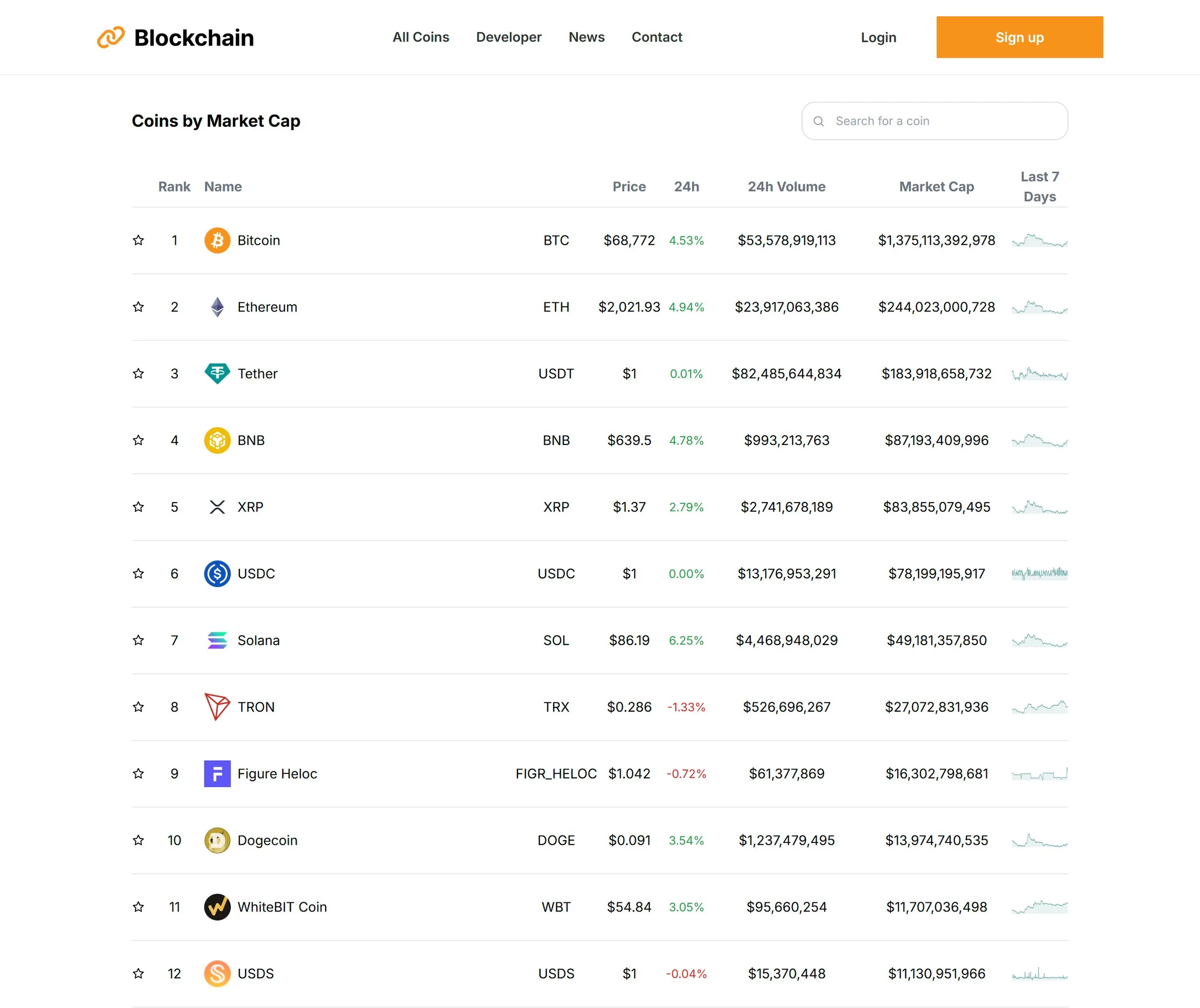
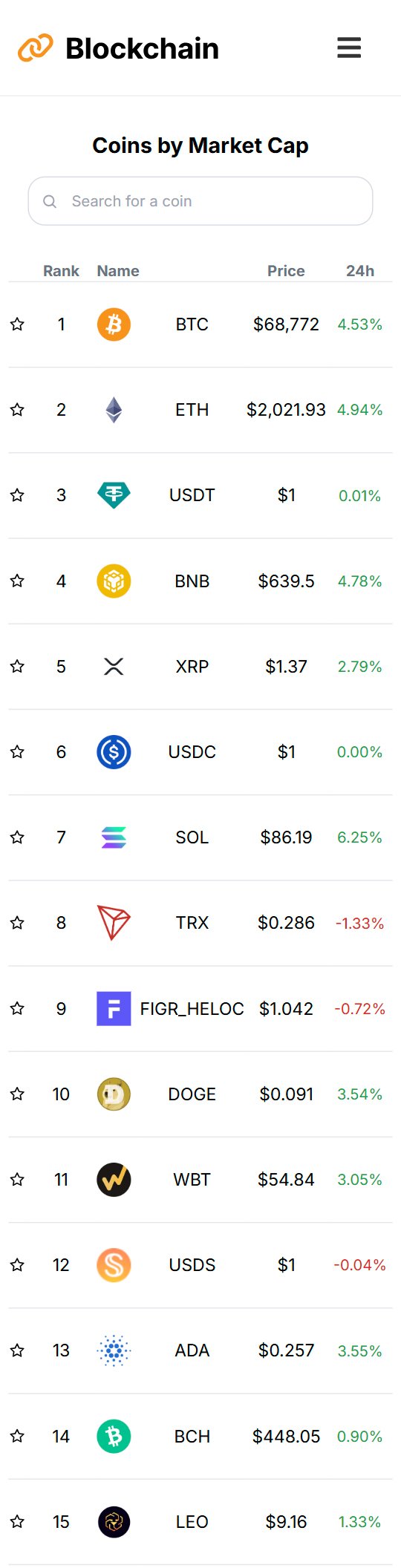
This project includes a responsive inner page that displays a dynamic list of 150 cryptocurrencies. Each coin is clickable, revealing detailed information and recent performance data powered by the CoinGecko API.
A built-in search bar allows users to quickly filter and locate specific coins. Live charts track each coin’s performance over the past seven days, providing a quick visual snapshot of market movement.
The interface is styled with Tailwind CSS for a clean, responsive layout across devices.
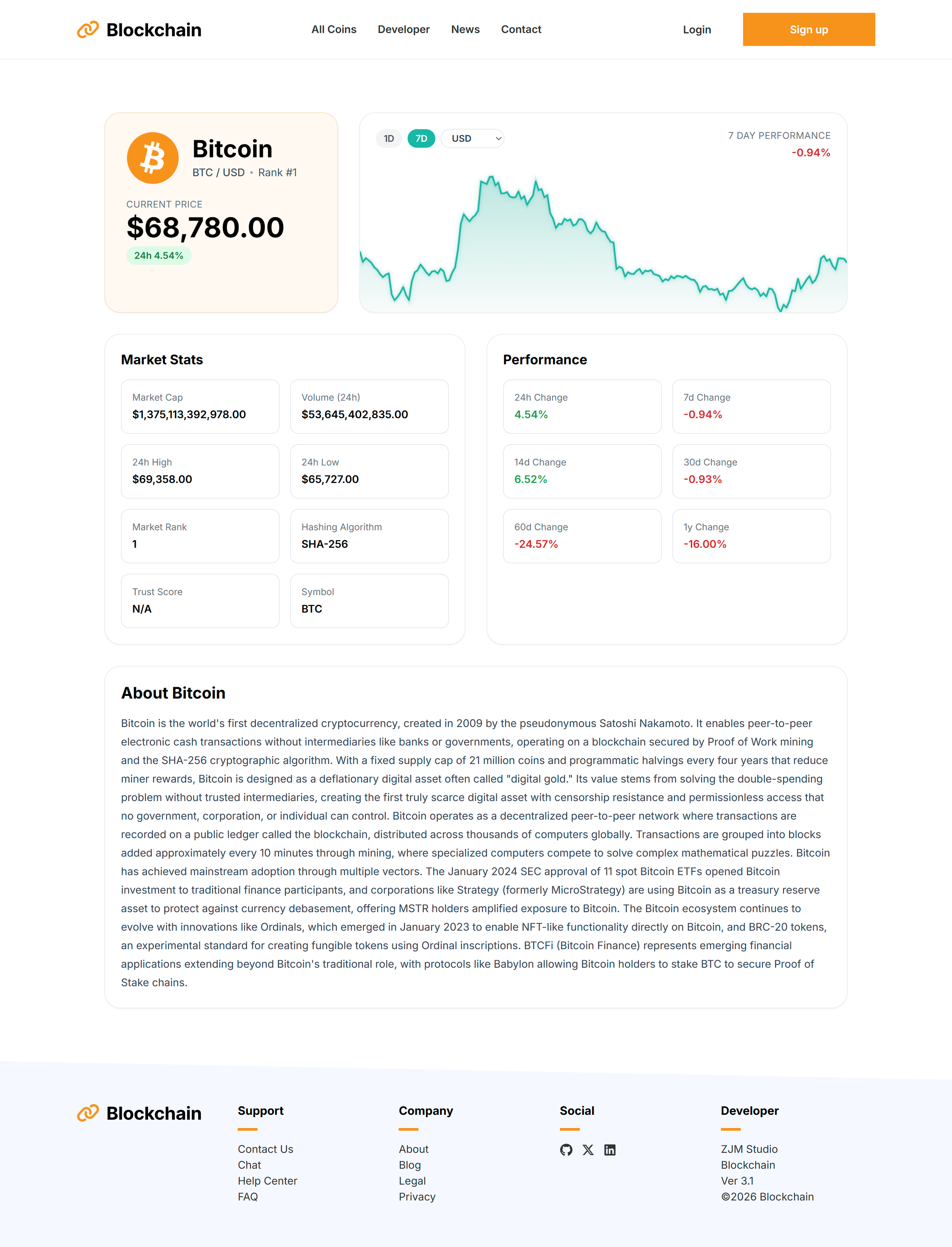
Each coin features its own dedicated detail page. A single reusable template dynamically loads the relevant data for each coin, displaying current market statistics and additional information pulled from the CoinGecko API.
This approach allows the application to generate individual pages for every coin while keeping the codebase efficient and scalable.
Mobile View

The Price Chart
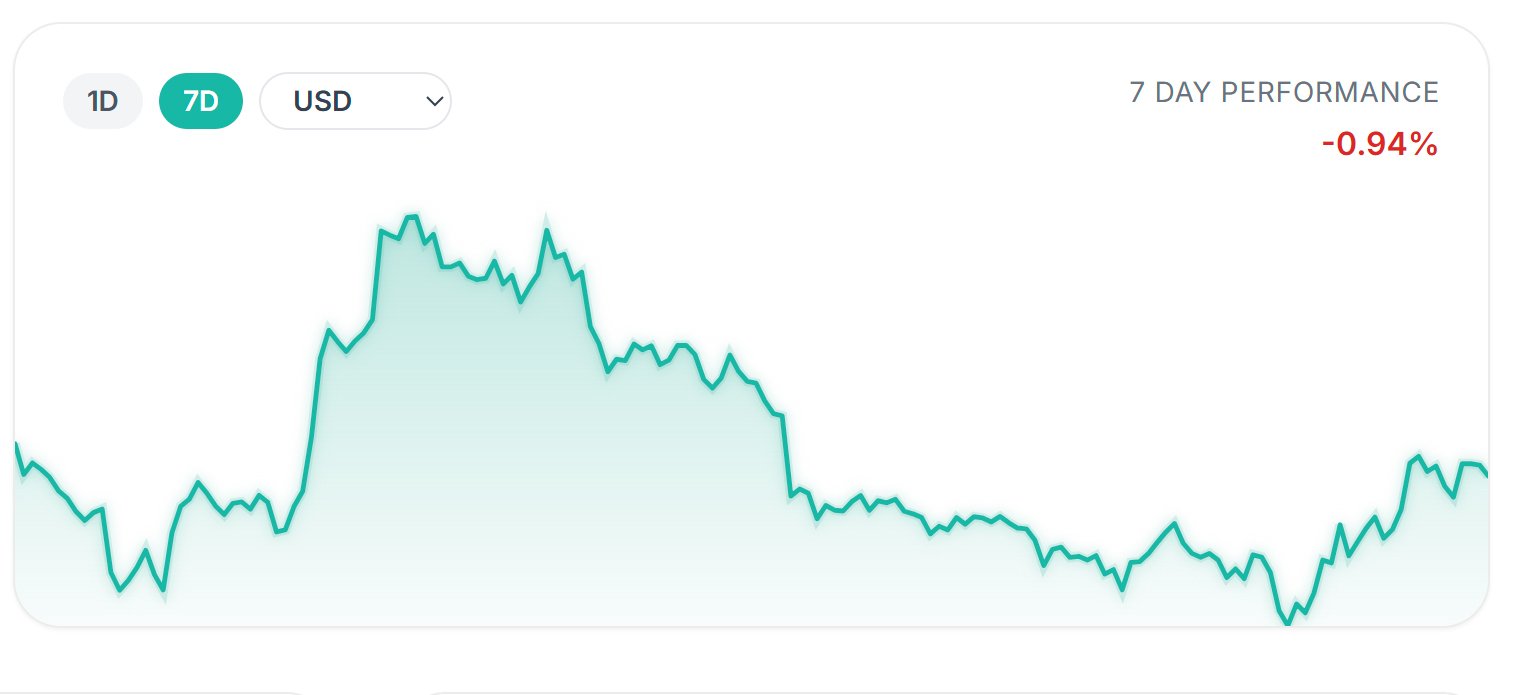
The price chart was implemented as a custom SVG component to maintain full control over rendering, responsiveness, and interaction. Price data from the API is normalized into coordinates within a fixed SVG viewBox, allowing the chart to scale fluidly across screen sizes while preserving consistent geometry.
For hover interaction, the mouse position (clientX) is translated from browser coordinates into chart coordinates by subtracting the chart element’s left offset (getBoundingClientRect().left). This determines the exact horizontal position of the cursor within the chart. That position is converted into a percentage of the chart’s width and mapped to the corresponding index in the dataset, allowing a vertical tracker line and marker to follow the price path in real time.
This lightweight approach replicates the behavior of professional trading interfaces while avoiding the overhead of external charting libraries.
Mouse position (clientX)
↓
Subtract chart offset (rect.left)
↓
Position inside chart
↓
Convert to %
↓
Map to dataset index
↓
Render hover tracker
The chart supports two selectable time ranges (1D and 7D), both powered by CoinGecko’s market_chart endpoint. The API returns historical price data as timestamp–price pairs ([timestamp, price]), which are transformed into a simplified dataset before being rendered in the SVG chart component. Switching ranges simply changes the days parameter in the request, allowing the same endpoint to provide either short-term or multi-day price history.
To improve reliability and avoid API rate-limit errors, chart requests are routed through a Netlify serverless function that forwards the request to CoinGecko and returns the data with short caching applied.
Tooltip
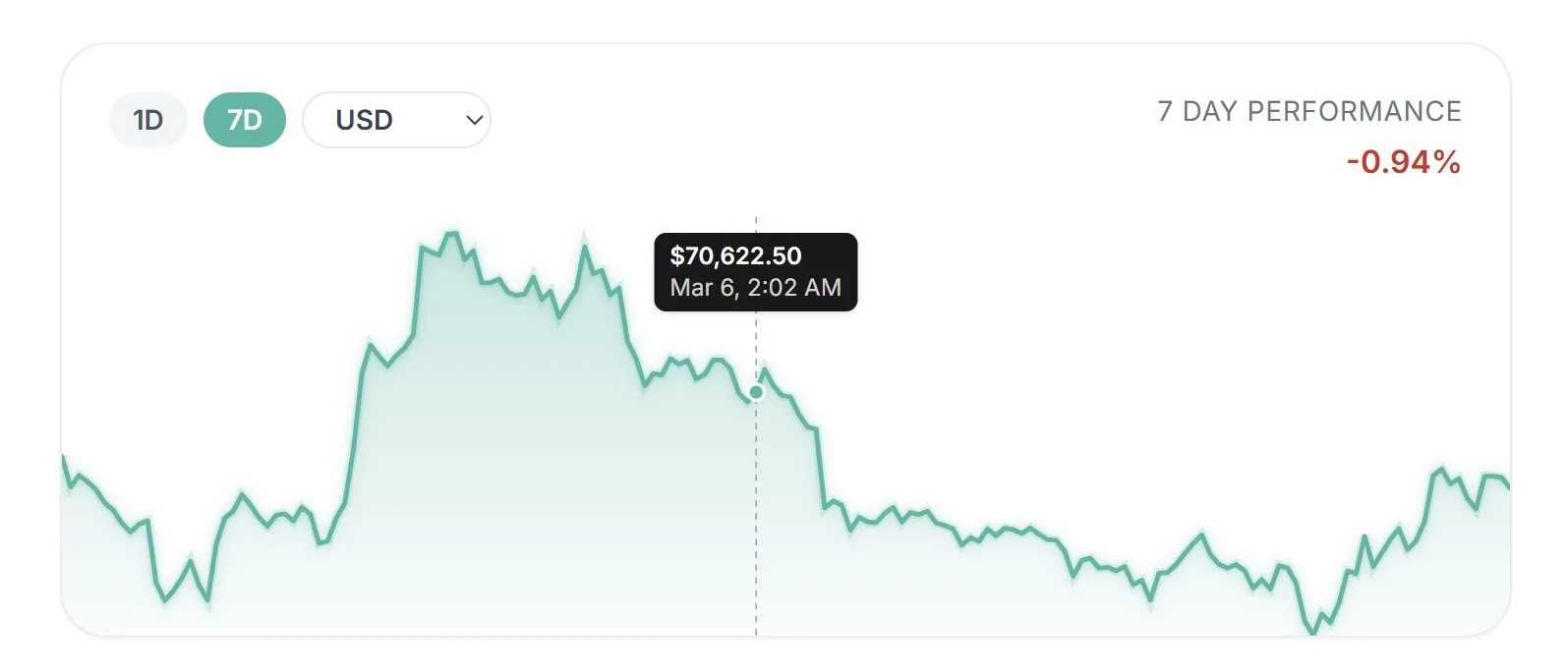
A tooltip displays the exact price and timestamp for the data point currently under the cursor. As the user moves across the chart, the horizontal cursor position determines the closest data point in the dataset. The price and timestamp for that point are read from the chart data and displayed in a small tooltip above the highlighted marker. As the cursor moves, the marker and tooltip update in real time, allowing users to inspect individual price points along the chart.
Tooltip positioning is dynamically adjusted based on the hovered point’s Y-coordinate to prevent it from covering chart peaks. Because smaller SVG Y values occur near the top of the chart, the code checks whether the hovered point crosses a threshold and shifts the tooltip downward (hoveredCoords[1] < 40 ? '42px' : '8px'). This keeps high points visible without altering the chart scale or adding padding.
Currency Selector
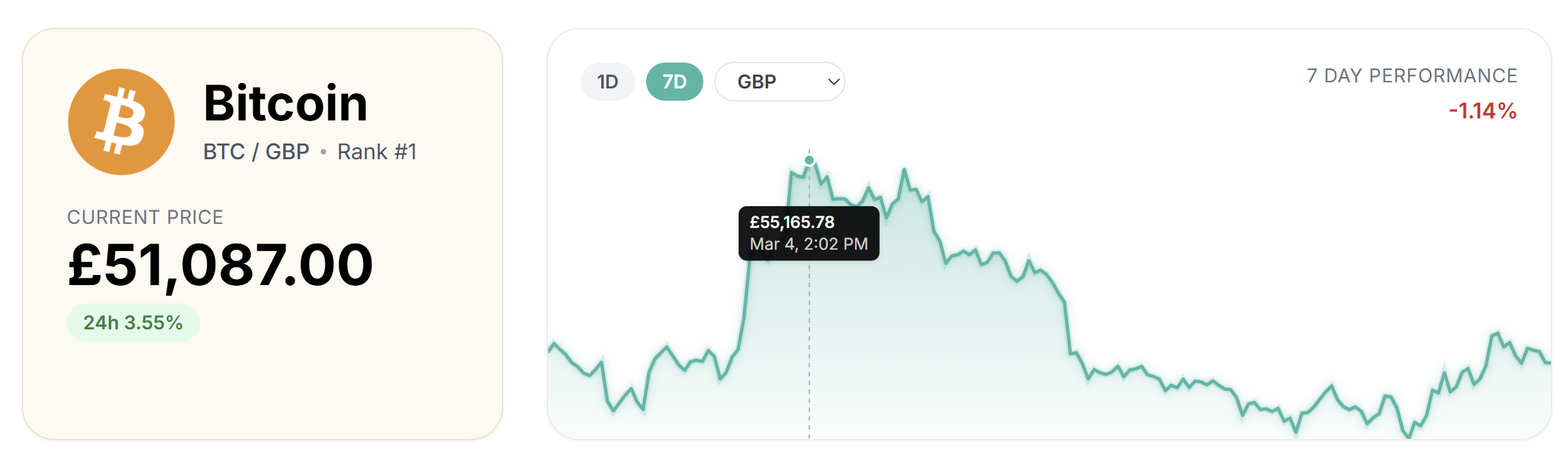
The interface includes a currency selector that allows price data to be recalculated dynamically across multiple fiat currencies. Changing the selected currency updates the API request and refreshes all values displayed in both the chart and the statistics panel.
Pesky 429 Errors
During development, I encountered 429 rate-limit errors from the CoinGecko API when the chart requested price data. Changing coins, time ranges, or currencies quickly triggered multiple requests, and once the limit was reached the request would fail. When this happened the chart received no data, causing the graph to disappear and display a temporary “market data unavailable” message.
To solve this, I added a lightweight server-side proxy using a Netlify serverless function that sits between the app and the CoinGecko API. The function forwards requests, securely injects the API key, and returns the response with short caching using Cache-Control headers. This reduces duplicate requests, prevents the application from calling the API directly, and keeps the chart loading reliably during rapid interaction.
Sign Up
There’s a Firebase backend used to authenticate new users, sign in with that user, and store coins to a watch list.
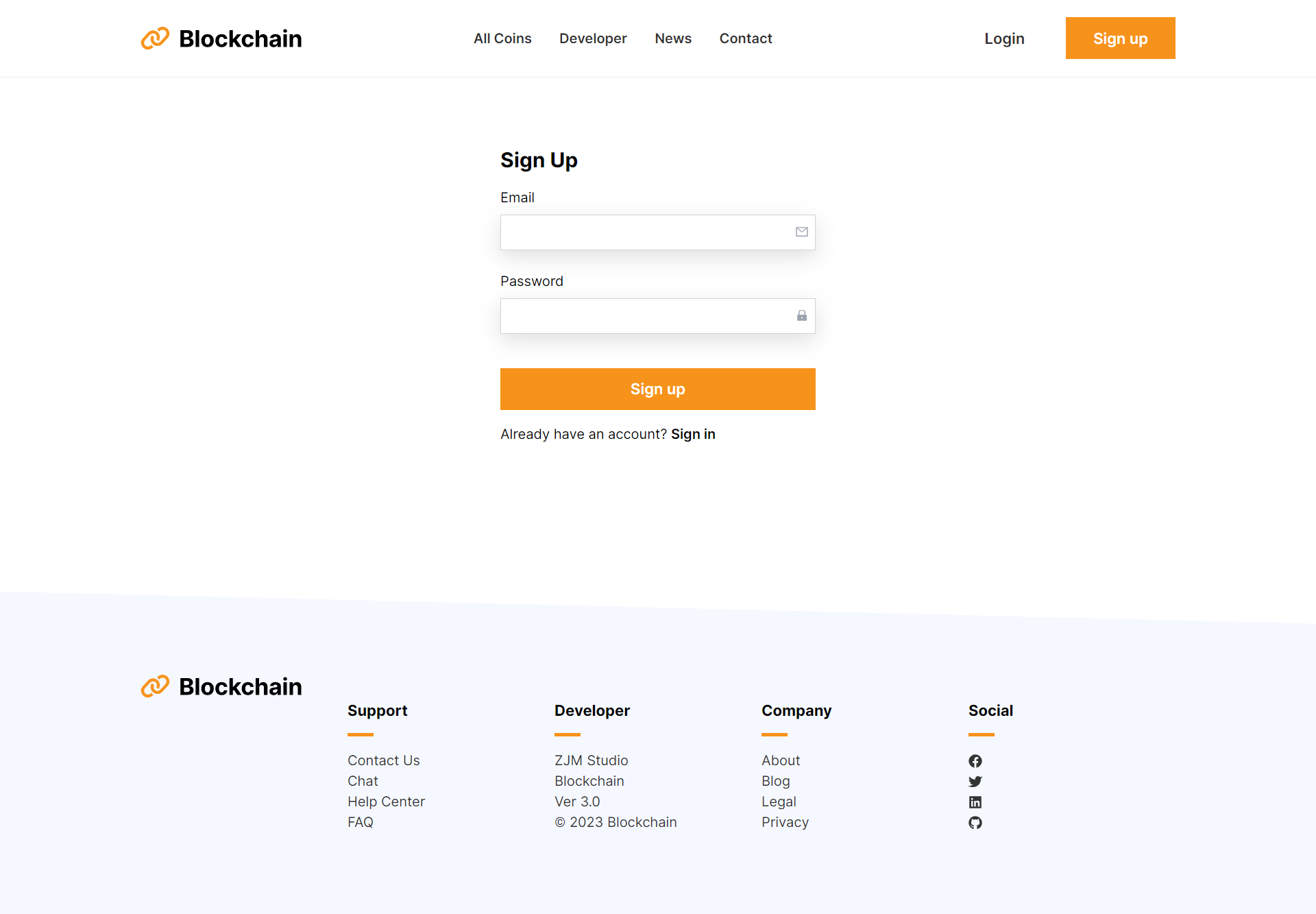
Account Page
The navigation adapts based on authentication state. When a user is signed in, the interface updates to display account controls such as Account and Sign Out.
Users can build a personalized watchlist by selecting the star icon next to any coin on the coins page. Saved coins appear in the account dashboard, where they can be easily reviewed or removed.
The account page is implemented as a protected route, ensuring that only authenticated users can access it. If a user is not signed in, they are automatically redirected to the sign-in page.

Going to the Moon
To create a more memorable entry point for the page, I designed a custom hero illustration centered around a playful metaphor common in cryptocurrency culture: “going to the moon.” Rather than depicting rockets or charts, I wanted a visual that communicated financial freedom and ease. The concept became an astronaut relaxing on a float in the ocean, symbolizing the idea of reaching the moon while still enjoying life on Earth.
To bring the scene to life, I added a subtle looping animation that allows the astronaut to gently bob up and down, mimicking the motion of floating on water.

Technologies
- React
- Tailwind CSS
- Javascript
- CoinGecko API
- Firebase
- React Sparklines